Wire-Free vs Wired vs Wireless Security Cameras: When To Use Which For Your Home

Before I go into this wire-free vs wired vs wireless security cameras comparison, I want to lay out some assumptions and information.

1) You’re a homeowner with plans to own your home for the long term.
2) Wire-FREE cameras are cameras that don’t need any wires at all (no network nor power cable needed), while wireLESS cameras are cameras that connect to the network wirelessly but still need to connect to a wired power cable.

Home ownership.

I will also start off by saying that I have a strong opinion that wired cameras are superior overall, due to it having less interference and latency.

When it comes to security, reliability is the utmost priority. What good is a camera if you can’t view it when you need to?

With all of that pre-information out of the way, let’s get into the main comparison of wire-free vs wired vs wireless security cameras. Although my opinion heavily favors wired, there are times when it’s not practical nor efficient.

Wired Security Cameras

Wired cameras are less susceptible to interference because of there being a dedicated and continuous line of connection. This advantage allows wired cameras to be very reliable.
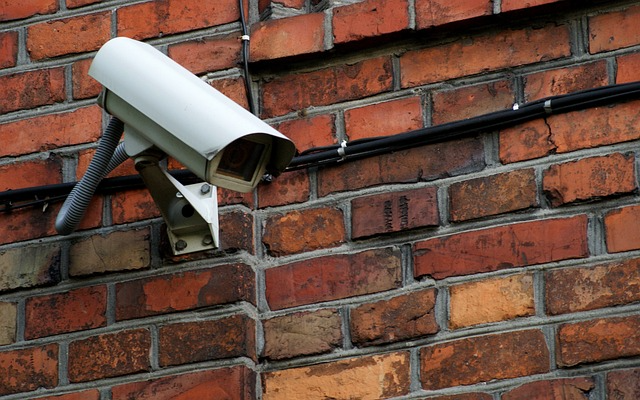
Wired security camera.

Strengths

  • Reliability: Footage can be transmitted more reliably without data drops.
  • Footage quality: Higher quality video can also be sent without worrying about data drops.
  • Immunity to signal jammers: There aren’t any wireless data to jam since it’s all wired. This means bad actors won’t be able to disrupt your video feed using this method.
  • Local storage: Footage can be stored locally without paying for any subscriptions. This is true for wire-free and wireless cameras too, but it’s more prominent in wired ones.

Weaknesses

  • More involved installation: Installation requires careful planning and preparation. Running wires to the mounting locations far away from the main hub will require traversing through rooms. This means you will have to be thoughtful in your cable management.
  • Camera relocation: If you want to move a camera to a different spot, you will either have to do some cable rerouting or run a new line. This added difficulty could make your home less secure due to the fact that you may get too lazy to reposition your camera for better coverage.
  • Upgrade difficulties: Most modern cameras are power-over-ethernet (PoE). Before that, coax cables were more widely used. Homes that wired their security cameras with coax have to rewire all of those cables to ethernet now if they want to upgrade into a better system. So despite the cameras not needing to be relocated, the wires would need to be reran. This is important to keep in mind as well, because there may or may not be an interface that succeeds PoE.

Wireless Security Cameras

The convenience of having less wires to manage will give you more flexibility at the cost of having less reliability.
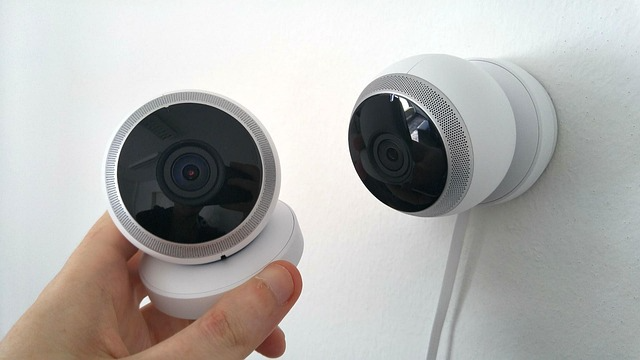
Wireless security camera.

Strengths

  • Easier installation: You only need to be near a power outlet and installation is as easy as plugging it in.
  • Placement options: Since you don’t need to worry about running any wires from a central hub, you have more options, with less effort, in terms of placement.

Weaknesses

  • Signal interference: Walls, distance, microwaves, conductive materials like metal and water can disrupt the connection.
  • Data drops: Due to there not being a continuous and direct connection, as well as the potential for signal interference, data drops are susceptible during data transmission. This results in gaps in the video footage.
  • Wi-Fi jamming: Jamming devices can overwhelm wireless networks, causing the video feed to be completely disabled.
  • Power outlet dependence: You are still limited by how far away from an outlet you are.

Wire-Free Security Cameras

Now that you know the strengths and weaknesses of wired vs wireless security cameras, the final type that I’ll go over is the wire-free camera. These have no dependency on cables. As a result, you have maximum freedom in terms of placement.

However, since these cameras are battery powered, you sacrifice heavily on functionality and maintenance. Since wire-free cameras are also wireless, some of these listed weaknesses are the same as the ones listed for wireless security cameras.
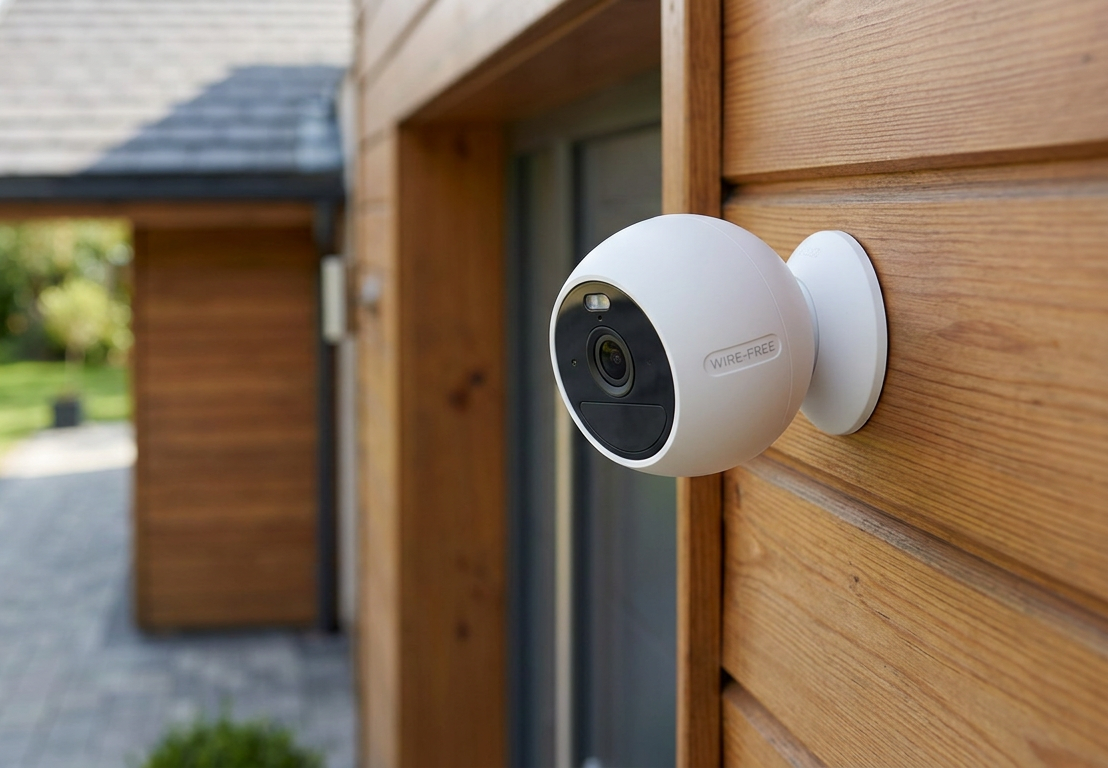
Wire-free security camera.

Strengths

  • Ultimate flexibility: You don’t have to worry about being near a power outlet or wiring to a central hub. As long as you’re within range of Wi-Fi or a cellular network, you can place it anywhere.
  • Built-in resilience to power outages: Even during a power outage, these cameras will still be functioning.

Weaknesses

  • Battery maintenance: You will have to replace or recharge the battery when it’s degraded or low, respectively. There are solar options that’ll help keep the battery charged. The drain rate for batteries are affected by cold temperatures, so keep that in mind.
  • Power constraints: You have to optimize the settings for your use-case. One way to reduce battery drain is to only do motion activated recording. However, this type of recording means you may miss crucial footage leading up to the motion activated event.
  • Long-term costs: Eventually, the battery capacity will degrade, so you will have to buy replacement batteries. And if you’re using one that connects via a cellular network, cellular data plans will be an additional monthly cost.
  • Signal interference: Walls, distance, microwaves, conductive materials like metal and water can disrupt the connection.
  • Data drops: Due to there not being a continuous and direct connection, as well as the potential for signal interference, data drops are susceptible during data transmission. This results in gaps in the video footage.
  • Wi-Fi/cellular jamming: Jamming devices can overwhelm wireless/cellular networks, causing the video feed to be completely disabled.

Common Myths

Here are some myths I hear a lot about security cameras in general.
Security camera in the clouds.

Wireless cameras are dependent on being connected to the internet and will not work during an internet outage

This is not entirely true. A wireless camera can still transmit data through a wireless network, even if said wireless network isn’t connected to the internet. It will wirelessly send the video data into a central hub like an NVR and record it into the connected hard drive.

You just won’t be able to view the live camera feeds remotely when you’re away from home, as that’s dependent on being connected to the internet.

Now, if the wireless network itself is down (AKA the router dies) or the Wi-Fi connection between the camera and network is disconnected, then the camera will not be able to send any video footage wirelessly to the central hub. Some cameras have SD cards so that they can record without relying on any wireless networks.

Wireless cameras require a subscription to be able to record footage

A lot of wireless cameras in the market record footage directly to the cloud. And in order for you to access any footage, you have to pay their subscriptions. That much is true.

But not all are like that. Some of them allow you to record to a local NVR and some of them allow you to record to an SD card.

Bottom Line: Which type is the best?

I will always go for wired cameras if I have the capabilities to do so. Even if the wiring is tricky, I’ll do my best to engineer a solution to make it happen.

For me personally, it boils down to wired vs wireless security cameras. I try to use as little wire-free cameras as possible. The more wire-free cameras you have, the more batteries you’ll have to maintain.
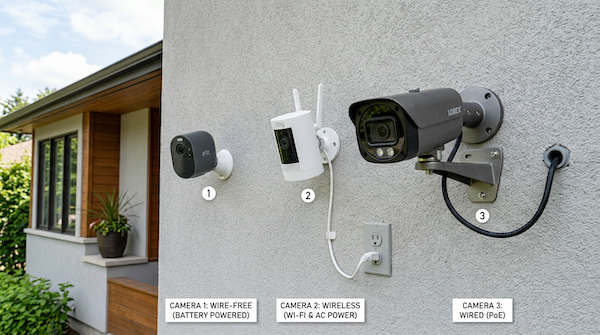
Wire-free vs wired vs wireless security cameras.

With that being said, sometimes it’s simply not possible, practical, nor cost-effective to wire everything. In these cases, it will be best to use either a wire-free or wireless camera.

I have the fortune of not needing wire-free cameras. You might not have such a luxury. If you have a lot of land, even wiring just power cables for wireless cameras may be more effort than it’s worth.

For example, let’s say you have a large front lawn and driveway and you want to monitor the entrance of your driveway to capture license plates of suspicious cars. In order to capture legible footage, your camera has to be placed properly.

If you want to place a wireless camera near the entrance and there are no power outlets nearby, it won’t be easy to run a power cable all the way out there.

Property with a lot of land.

So in such cases, I suggest using a wire-free camera with solar charging and staying on top of battery maintenance. After all, if you bought a house with a lot of land, you likely knew what you were getting into ;).

For maximum reliability and coverage, a hybrid setup works best. Set up wired cameras where you can, and then for places that you can’t, use wire-free or wireless.

This ensures that you have a lot of reliable cameras while at the same time minimizing blindspots.

If you have any questions or want suggestions on how to wire a camera, send me a message through the contact form and I’ll help as best I can!


Using An Old Phone As A Security Camera: How To Do It And Things To Consider

If you’re like most people, you will have eventually upgraded to a newer phone somewhere in your lifetime. And if you’re part of the crowd that doesn’t trade in or sell their old phone after getting a new one, you might have a few phones lying around at home.

And seeing that you’ve found your way to this article, you’ve probably thought about using an old phone as a security camera. Is it possible and easy to set up?

A phone's camera.

Yes and yes. It is indeed possible and easy to set up. However, phones have a lot of weaknesses that make them less than ideal as security cameras.

In this article, I’ll go over these weaknesses in detail, ways to workaround them, the practicality of it, and how to set it up.

For those of you that have already made up your mind on using an old phone as a security camera, you can simply skip to the last section for a quick guide on how to set it up.

Practicality and Cost-Effectiveness

Depending on how old your phone is and your use case, it may not be practical. If your phone is old and no longer receives software updates, you won’t be able to download the required surveillance app from the official app store.

There are ways to download older versions through unofficial channels, but it’ll involve jumping through hoops to get it up and running. And even then, with outdated software, you run the risk of getting your camera or phone hacked.

Fanned out hundred dollar bills, saving money.

As far as cost-effectiveness go, it doesn’t get cheaper than “free”. You’ll be using something that has been collecting dust. If it’s a high-value phone that’s collecting dust, that’s another story. But for now, we will assume you’re planning to use an old phone that’s depreciated and isn’t worth much when selling.

Things To Consider

Using an old phone as a security camera has a lot of shortcomings. This is due to the fact that their original purpose was for texting, calling, and daily utility. However, many of these shortcomings may not apply to you if you’re using it for simple cases. Let’s go over them one by one.

No night vision

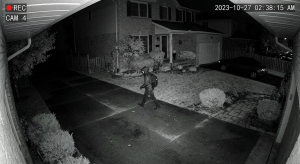
As great as phone cameras have advanced, they don’t have night vision. This means they’re useless in the dark. This isn’t an issue during the daytime because rooms get natural lighting from the sun, but you’d still need to have a light source for when the sun goes down.

Night vision footage from a dedicated security camera.
This was from a dedicated security camera. A phone camera would show pitch black.

To get around this, you can set your lamp to turn on at a certain time every day whenever it gets dark.

If you don’t have an outlet or light that can do that, you can use the built-in flash on your phone. These surveillance apps allow you to turn flash on remotely. It’s not as good as an external lamp, but seeing a little bit of something is infinitely better than complete darkness.

Wiring

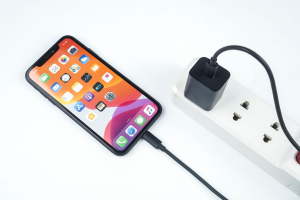
The only wiring you’ll need is the charging cable, which will vary depending on the phone (micro USB, lightning cable, USB-C, etc.). Long charging cables aren’t commonly sold, so if you want to mount your phone somewhere that’s far from an electrical outlet, you would have to use an outlet extension cord + phone charging cable combination.

Phone plugged in to a charger.

As a comparison, dedicated security cameras will also require using long cables for wiring, but their power cables are designed to travel through longer distances. This reduces or eliminates the need for an outlet extension cord.

The main downside I would say with outlet extension cords is that they’re thicker than the actual charging/power cables and can be awkward to run. However, I wouldn’t say it’s that big of a deal.

WiFi only

Related to wiring, phones can only connect to the network wirelessly. And as convenient as it sounds, it isn’t as reliable as having a wired connection. You CAN use an ethernet to phone adapter, but that would mean having to run yet another wire.

If it were me, I would just leave it on WiFi and have it monitor something less critical.

Not weatherproof

I HIGHLY recommend against installing your phone outside for many reasons. The primary reason being that there’s a high incentive for people to steal it even if it’s nothing fancy. The other big reason is because phones are not designed to withstand the constant weather conditions outside.

Rain falling.

If you want to use the phone to monitor activity outside of your home, your best bet is to set it to capture footage behind a window. I would be careful with this because it poses the same problem of having people wanting to steal it, which brings me to the next point.

It can be a target for burglars

Phones can easily be pawned off for quick cash, and burglars know this. So if you place it by a window, burglars might target your home.

I’ve used phones for outside surveillance, but I’ve had to redneck engineer some contraptions so that it’s not noticeable. If you really want to monitor the outside using a phone, do your best to conceal it.

No local storage

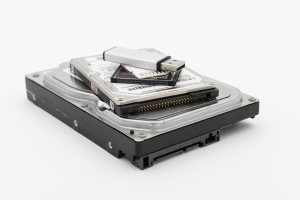
Some of these surveillance apps lack the feature to view footage for free. You have to pay their monthly subscription fee if you ever want access to any of it. This is an especially important point to consider when choosing which app to use, because if your use case requires you to review footage leading up to a motion detecting event, you want to be able to view it without shelling out more money than necessary.

Hard drives, an SD card, and a flash drive.

When I first set up my phone, this caught me by surprise because I used to use my phone to monitor my front porch so that I could keep tabs on delivered packages. I’d get a notification when it detected motion, and when I opened to view the live camera, I would see the package there (which is good). But sometimes my family members would arrive home before me and take that package in.

So the second time that I get the motion notification (from my family member’s coming home), I would open the app again to view the live camera, only to see the package gone. I couldn’t see what happened to the package since the recorded footage was locked behind a paywall.

Had it been an actual thief, I wouldn’t have had anything to reference who the thief was or how he/she looked.

Personally, I didn’t and wouldn’t pay for the subscription because the whole idea of using an old phone as a security camera is to save money. If I were to spend money, I would much rather buy a dedicated security camera that can record locally without having view restrictions.

Of course, not all apps are like this. In the “how to” section, I will be using “AtHome Surveillance”, an app that allows you to view footage without paying.

Bottom Line: Is Using An Old Phone As A Security Camera Effective?

If your full fleet of surveillance cameras are phones, you will have a lot of gaps security-wise. But if you already have some dedicated security cameras installed and want to add monitoring to another part of your home, old phones can be a very effective addition to your security setup without having to spend any extra money.

Or, if you don’t have any cameras set up around your home at all, I would say using an old phone is a great way to start. Seeing as you’re reading this article, you’re probably looking for the best ways to improve security in your home via surveillance cameras.

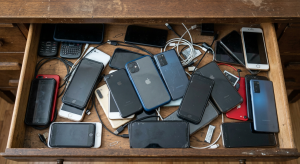
Old phones in a drawer.

Dedicated security cameras are the way to go for the best security system, and when you’re just starting out, using an old phone as a security camera will allow you to have an up and running monitoring solution while you research your options. And of course, that is better than nothing.

So unless your phone is so old that it can’t download the surveillance app from the official Google Play Store or Apple App Store, go ahead and use it as a security camera!

How to Set Your Phone Up As A Security Camera

Before installing any software, what I like to do first is perform a clean factory reset on the phone. And then afterwards, turn these settings off to minimize feed interruptions:

  • Auto lock
  • Automatic software updates
  • Notifications

Those aren’t necessary to do, but I like to do them so that there’s no personal information on the phone and so that automatic software updates don’t cause unpredictable downtime. You can always update manually.

Step 1: Download a surveillance app on both phones

As mentioned earlier, I like to use AtHome because it allows you the option to view recorded footage without having to pay. AlfredCamera is one of the most popular apps right now, but at the time of me writing this, they lock you out from viewing any footage unless you pay.

Step 2: Follow the setup instructions in the app

The setup will vary for each app but they’re all usually fairly straightforward.

Step 3: Plug your phone in and mount it

Setup should have been straightforward. Mounting your phone, on the other hand, could get tricky depending on where you want your camera. If there’s an outlet near the mounting spot, it’ll be a simple matter. If not, then you will need to run an extension cord.

Mounting is a little bit different than a traditional security camera due to the lack of mounting points on the phone and position of the charging cable, but it’s pretty straightforward with the right mounting hardware or a little bit of creativity.

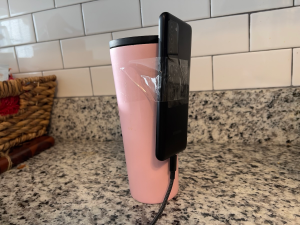
Mounting and using an old phone as a security camera.
My redneck engineering solution for mounting the phone.

You can use a phone tripod or dedicated phone holder similar to the car mounts people often use in their cars. If you don’t have any of those and don’t want to spend any extra money like me, you can lean or tape the phone onto something with weight. I’ve used water bottles and gummy bear containers before and, although it looks silly, it gets the job done.

Step 4: Done!

And that’s it! You’re all done. These apps have a lot of neat features like motion detection, two-way audio, on-demand siren, etc. Play around with it and set it up to meet your needs. If you have any questions or requests, feel free to drop me a message!